

FabFilter
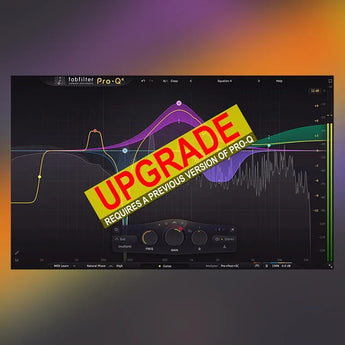
FabFilter Pro-Q 4 Upgrade
$84.00
/
Tax included.
Couldn't load pickup availability
NO REFUND FOR UPGRADE/CROSSGRADE
About FabFilter Pro-Q 4 Upgrade
Since its original release in 2009, FabFilter Pro-Q has become the trusted workhorse EQ plug-in for many engineers and producers around the world, widely praised for its workflow, sound quality and feature set. With version 4, we're bringing exciting new features to Pro-Q, introducing spectral dynamics, the instance list, EQ Sketch, vintage saturation and much more. FabFilter Pro-Q 4 gives you the highest possible sound quality, a complete feature set, and a gorgeous, intelligent interface that is designed to help you get 'that' sound quickly and easily.New in version 4
At first glance, FabFilter Pro-Q 4 looks quite similar to its predecessor. But looks are deceiving! Of course, the clean design and intelligence of Pro-Q 3 is still present, but a lot of exciting new functionality has been added to improve both sound and workflow:- Usability improvements and EQ Sketch. Wondered if you could ever just draw the curves you'd like? Now you can!
- The new Instance list lets you control all instances in your session via a single plug-in interface.
- Use Spectral dynamics to treat problem frequencies more precisely and efficiently.
- Setup your mixes with one of the Character modes to add that analog, vintage feel.
- The Dynamic EQ section has been improved, with Attack and Release settings, but also optional
- free side-chain filtering.
- You can now choose to use fractional slope settings if you need to, e.g. a 3.5 dB/oct LP or HP
- filter.
- Improved dynamic EQ processing for less distortion and cleaner sound.
- Improved precision in linear phase processing.
- New All Pass filter shape.
- You can now copy and paste EQ bands or presets, also between instances or via the new instance
- list.
- Improved analog matching in zero latency and natural phase mode.
- You can change parameters directly via the value display in the EQ controller by dragging or with
- the mouse wheel.
- Overall new and fresh design.
- Many minor improvements.
Other key features
System Requirements for FabFilter Pro-Q 4 Upgrade
Upgrading from Pro-Q version 3 to the new Pro-Q 4 is safe and easy: installing Pro-Q 4 will not replace or delete the previous Pro-Q 3, 2 or version 1 plug-ins. All versions will co-exist and can be used at the same time. This ensures that you can open old sessions that use Pro-Q 3 without problems! Of course, FabFilter Pro-Q 4 can also read all presets from previous versions as well. See Upgrading to Pro-Q 4 for more information. FabFilter Pro-Q 4 is available in VST, VST3, CLAP, AU (Audio Units), AAX Native and AudioSuite formats.
Windows requirements
Windows 11, 10, 8, 7 or Vista 64-bit or 32-bit VST 2/3 or CLAP host, or Pro ToolsIntel or Apple Silicon processormacOS requirements
macOS 10.13 or higher (64-bit only)
VST 2/3, AU or CLAP host, or Pro Tools
Quick start
The installer will copy the FabFilter Pro-Q 4 plug-in into the common VST, VST 3, CLAP, AU (macOS only) and Pro Tools plug-in folders on your computer. On macOS, the global plug-in folders
in /Library/Audio/Plug-Ins are used.
In most cases, your host will then recognize the plugin automatically. However, if the instructions below do not work, see Manual installation instead.
- Pro Tools : Choose an empty insert slot on one of your audio tracks, instrument tracks or buses and select FabFilter Pro-Q 4 from the pop-up menu in the EQ section.
- Studio One : Click the '+' button next to the Inserts tab of an audio track, instrument track or bus and select 'Pro-Q 4' from the drop-down menu.
- Logic Pro : Choose an empty insert slot on one of your audio tracks, instrument tracks or buses and select FabFilter Pro-Q 4 from the pop-up menu. You will find FabFilter Pro-Q 4 in the Audio Units > FabFilter section (named Pro-Q 4).
- Ableton Live : In Session view, select the track you would like to place FabFilter Pro-Q 4 on, for example by clicking the track name. At the left top of Ableton Live's interface, click on the Plug-in Device Browser icon (third icon from the top). From the plug-ins list, double-click FabFilter > Pro-Q 4, or drag it onto the track.
- Cubase : Choose an empty insert slot, for example in the Mixer, and select EQ > Pro-Q 4 from the menu that appears. To use the MIDI features in Pro-Q 4, create a new MIDI track and set its output to the Pro-Q 4 instance you have just created.
Recently viewed products
Describe your recently viewed products here


